Harvester UI · Reviewed
The VM list stays quick with hundreds of VMs
With several hundred VMs, the Virtual Machines list froze the browser for a moment on every sort, every filter key and every live update. The list now does much less work per row, so it looks the same but answers faster.
What changes for the user
- Nothing to learn: the list has the same columns, states and actions.
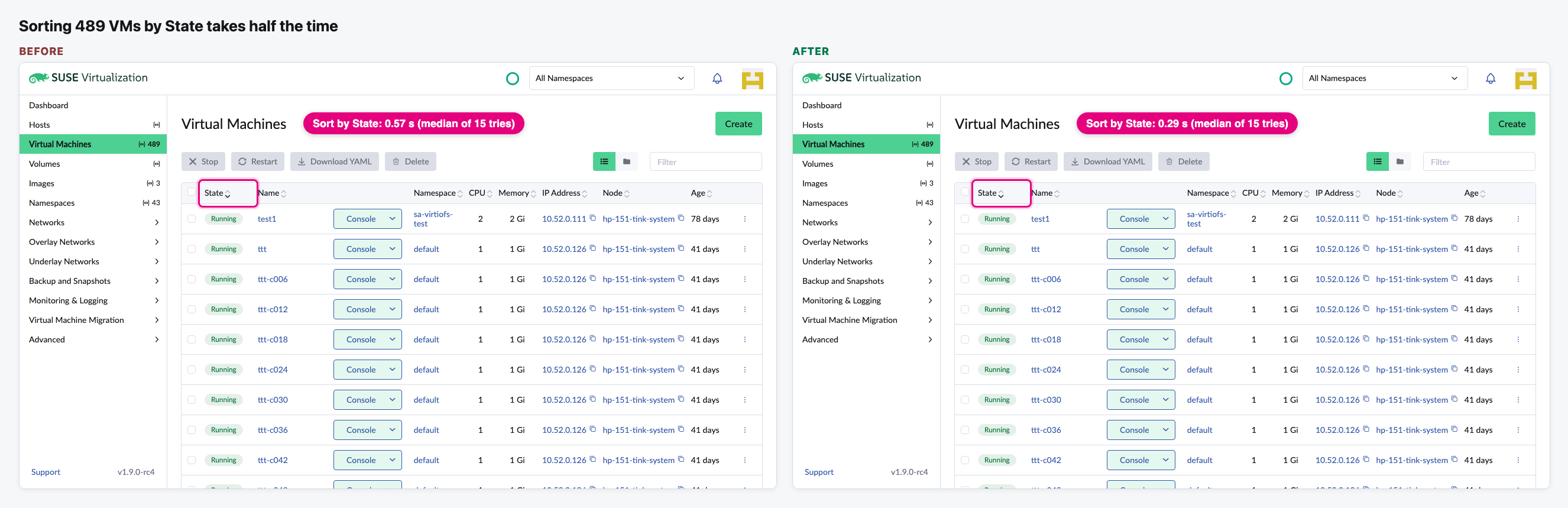
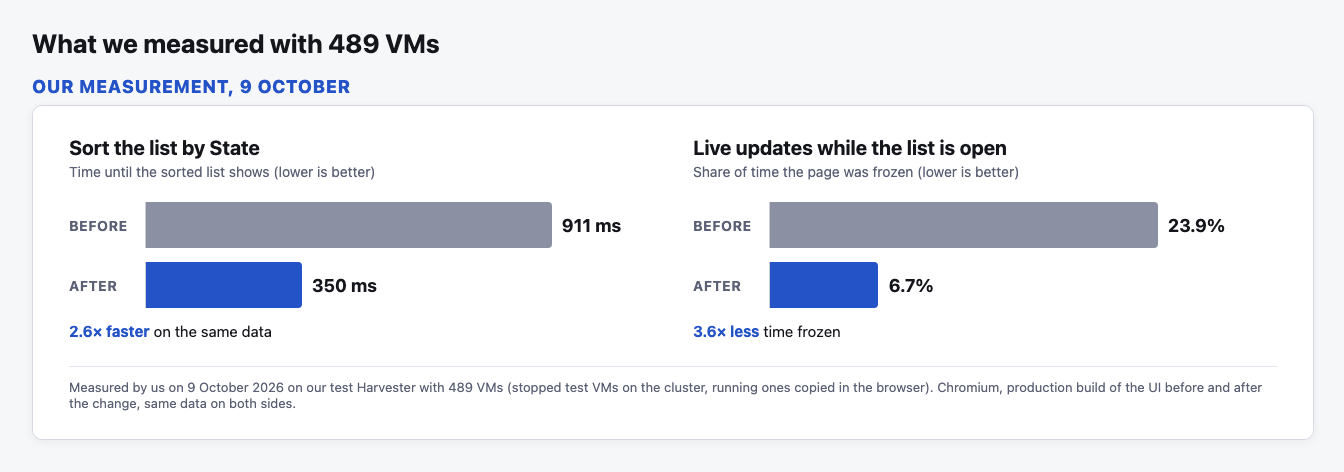
- Sorting a big list by State takes about half the time or less. In our test with 489 VMs it went from 911 to 350 ms.
- The page freezes less while VMs change in the background: 23.9% of the time before, 6.7% after, in the same test.
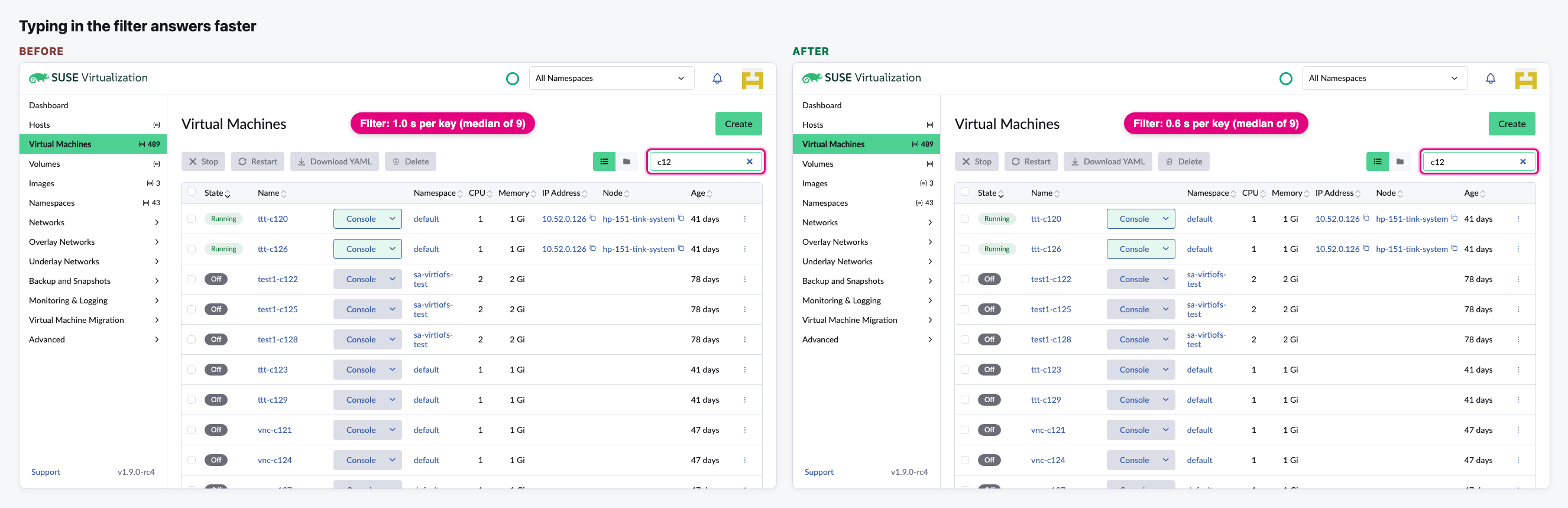
- Typing in the filter box shows results sooner: about 1.0 s per key before, 0.6 s after, in our re-run today.
- It also fixes two display bugs. Running VMs no longer show as "Starting" when you go from a Harvester cluster's explorer in Rancher to Virtualization Management. A VM no longer picks up volumes or migrations from a VM with the same name in another namespace.
The flow
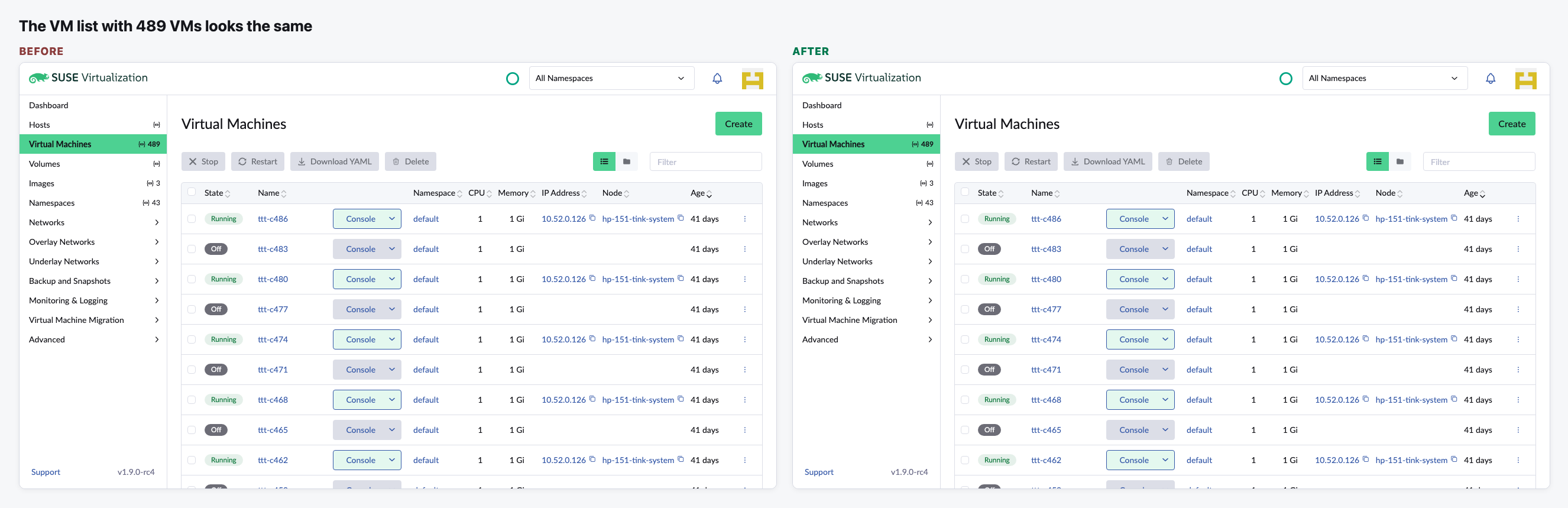
The list looks the same
We open Virtual Machines with 489 VMs, 100 per page. Before and after show the same columns, states and buttons.
Sorting by State is about twice as fast
We click the State column header. The pink badge shows how long the list took to redraw.
The filter answers faster
We type "c12" into the filter box, one key at a time.
What we measured during the review
We tested the change on our Harvester with 489 VMs, before it merged.
Video (optional)
0:00 Before · 0:25 Switching to the new build · 0:38 After · 0:59 Summary
Notes
- How we measured today: the UI built just before and just after the change, run on this laptop against our test Harvester. The real VMs were copied in the browser to reach 489 (a sixth of them running). Nothing was created on the cluster. A timer in the page measured from the click or key press until the list was redrawn.
- The gain depends on the data. It is largest with many volumes and migrations (the author saw 6.0 s go down to 0.7 s with 200 migrations) and small with few VMs.
- The list still loads every VM into the browser. Paging on the server, which large sites need, is still open in Issue 9513.
- The two display bugs need a Rancher setup and a running migration to show, so they are not in the images.